Cross stitch · phone and tablet · iOS and Android
Your visual inspiration,
turned into real threads.
TRAMA is far more than a pattern viewer: it's the whole ecosystem for people who stitch by hand. Build the pattern, edit it stitch by stitch, work it with live tracking and keep the story of how you made it. Always in DMC threads that actually exist.
Coming soon to the App Store and Google Play
- DMC 3713
- DMC 760
- DMC 3712
- DMC 722
- DMC 3820
- DMC 3607
- DMC 154
500+
DMC colours from the official catalogue
8
stitch types on the same grid
17
languages, including yours
iOS · Android
phone and tablet, iOS and Android
From image to pattern
Our own algorithms, not a pixel filter
Turning an image into something you can actually stitch is the hard problem in this app, and it's where TRAMA has spent its years. The engine is ours: it decides where every stitch goes and which real thread it gets stitched in.
- Step 01
Start from anything
A photo, an illustration, an SVG, a pattern PDF you already bought, or an image generated with AI inside the app itself.
- Step 02
Threads, not near-enough colours
Every shade is resolved against the official DMC catalogue by true colour distance in CIELAB. If a code doesn't exist it gets remapped to the nearest one — never invented into a thread you can't buy.
- Step 03
A real pattern
Grid, symbols, backstitch and fractional layers. Ready to stitch on screen, edit cell by cell, or export as a professional PDF.
Pattern Studio
Then you tune it yourself, live
Pattern Studio lets you move the resolution and see the result instantly, pick the quality profile, and let TRAMA propose the advanced layers.
-
Live resolution
Raise or lower the stitch count and watch the pattern change as you drag — no waiting for a render.
-
Automatic extraction
Every image asks for a different engine to pull its palette. TRAMA reads yours and picks: there is no selector to guess at.
-
Quality profiles
Oil for photos and painting, Flat ink for illustration and line art. TRAMA picks based on the image you give it, and you switch profile if you disagree.
-
Automatic layers
TRAMA proposes the two-thread blends, backstitch and fractionals that improve the pattern, and previews them before applying.
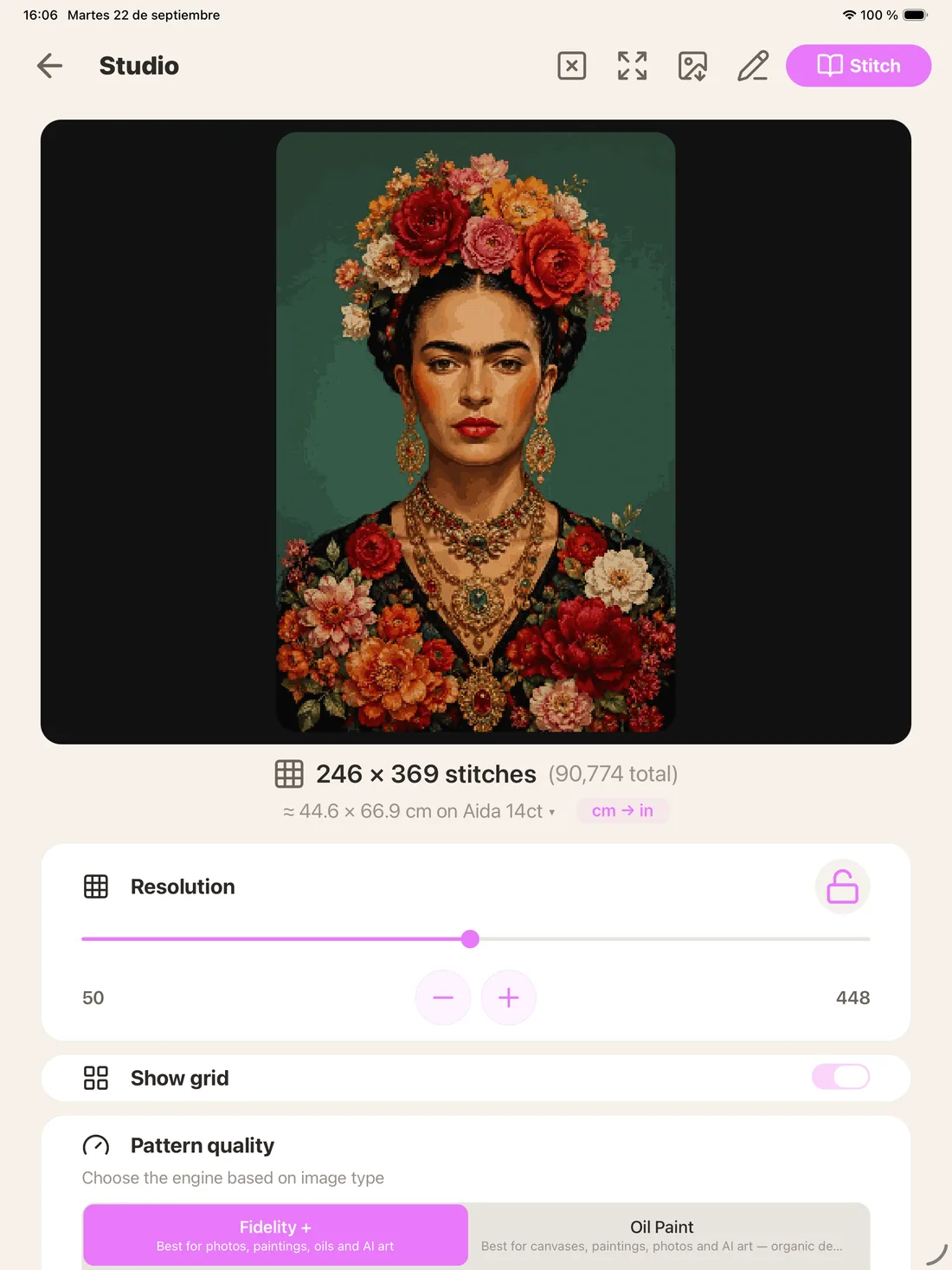
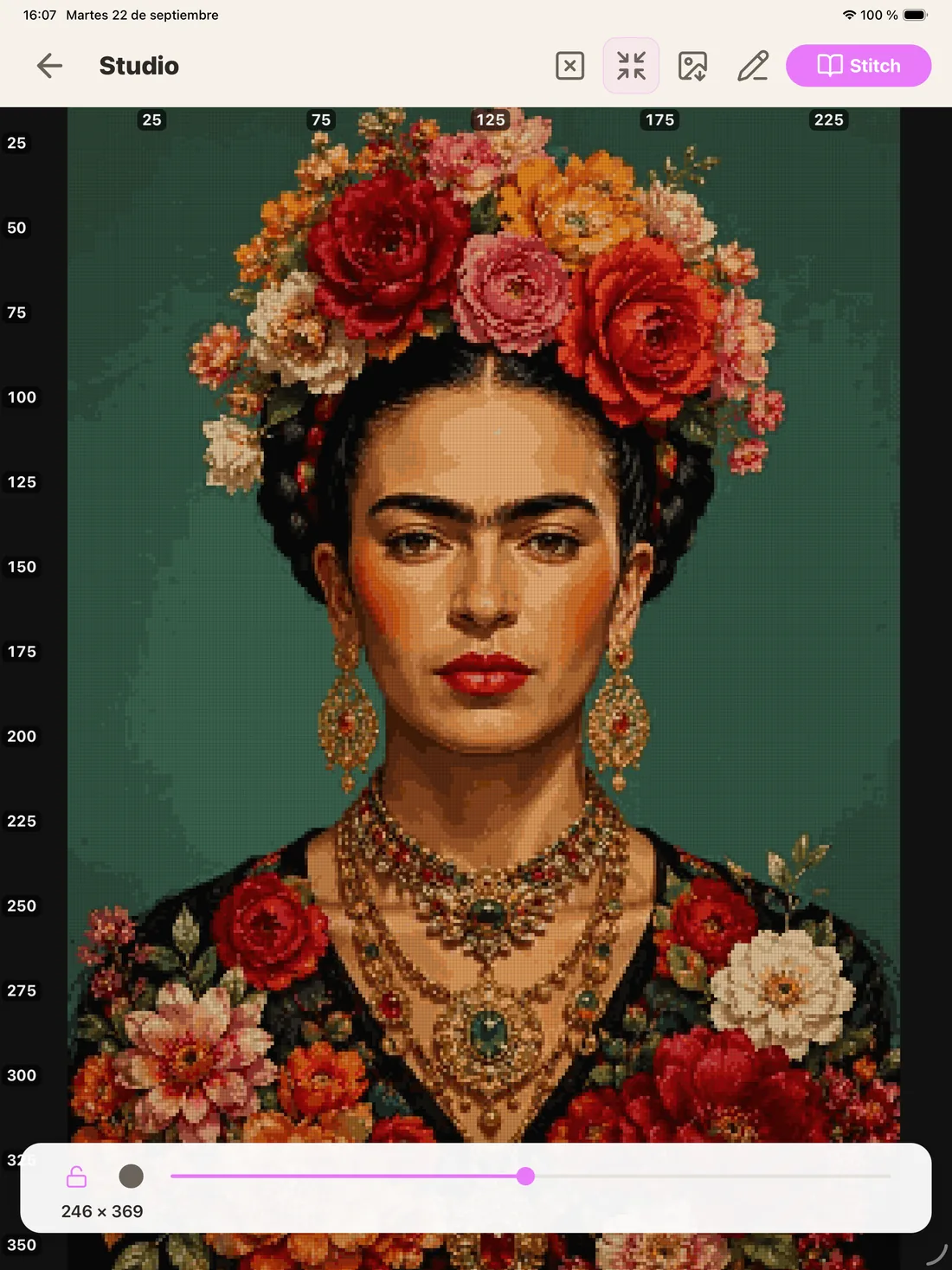
Image generator
Can't find the image? Make it
An assistant with prompts curated by theme — pets, botany, mandalas, landscapes, fantasy, vintage — generates images built so TRAMA's engine converts them well. You can also start from a photo of your own as reference.
The technical win
One grid engine for the whole craft
Creating, importing, editing and stitching all share the same high-resolution grid. That's why a three-quarter stitch you draw in the editor looks identical in Follow Along and prints identical in the PDF: nothing is converted along the way, nothing is lost. Building a fluid grid that accepts every one of these stitch types at once is the hardest part of all this, and the part we're proudest of.
All of this lives in the same cell
-
Full cross
The usual fill, with its symbol and colour.
-
Backstitch
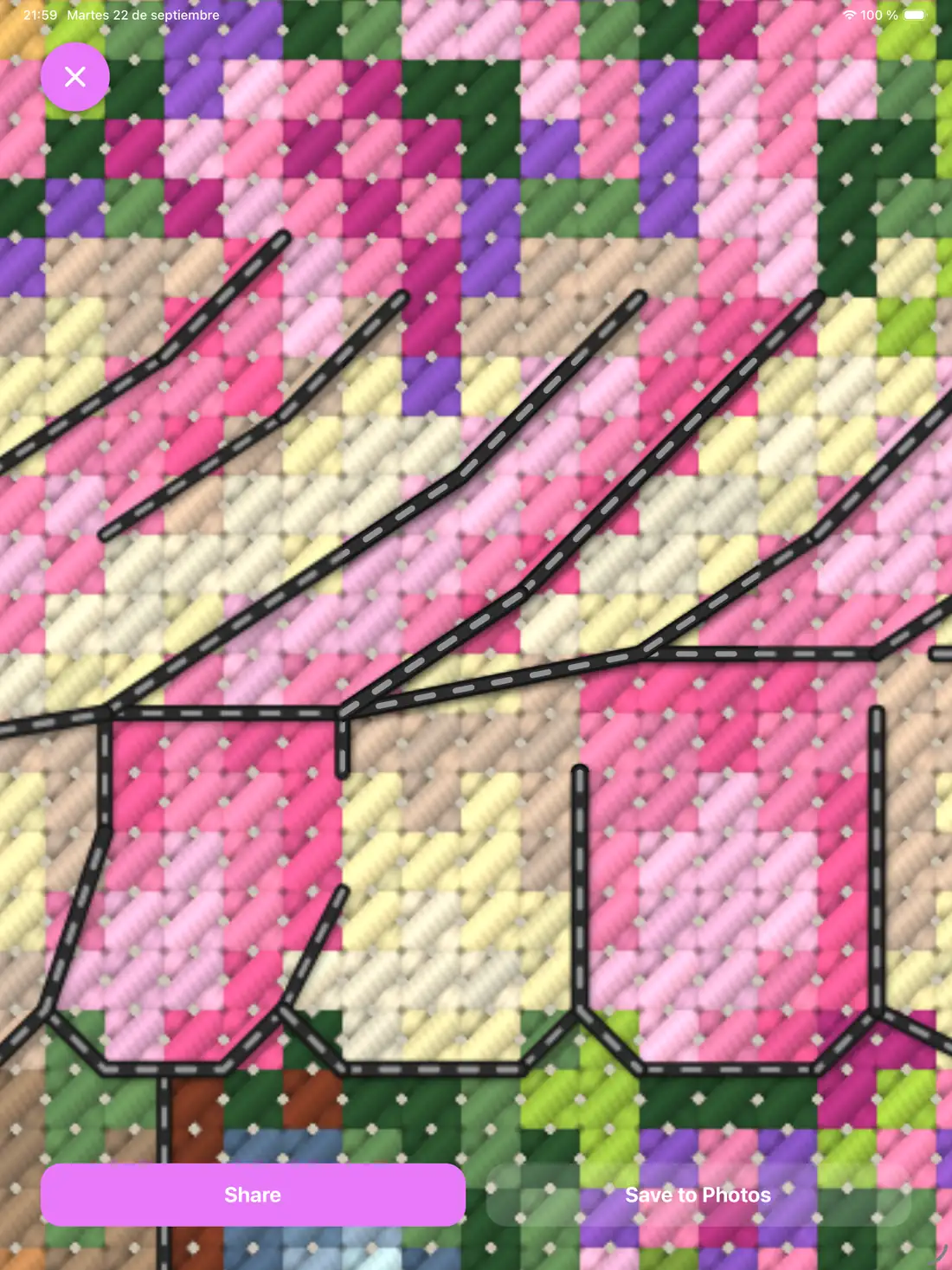
Chained polyline, 1/2/3 strands, solid or dashed stroke.
-
Fractionals
Half, quarter, three-quarter and petit, oriented by quadrant.
-
French knot
On grid intersections, on its own layer.
-
Beads
Sewn bead, drawn as a ring.
-
Smyrna
Double cross filling the cell.
-
Long stitch
Long satin stitch.
-
Blends
Two threads in one needle; the shopping list splits it into both skeins.
A cell takes two parts: the classic three-quarter in one colour plus the complementary quarter in another. And it all travels through mirrors, rotations and region moves without losing its bearings.
At the frame
Follow Along, the stitcher's dream
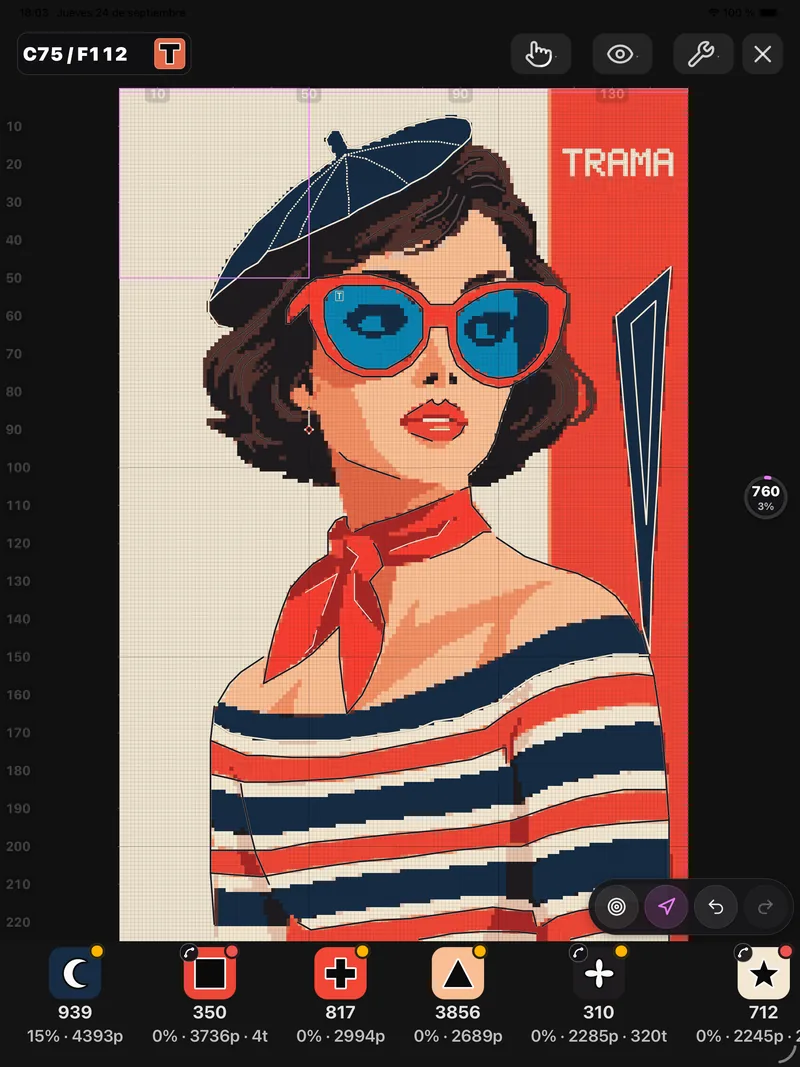
The mode for stitching with the pattern in front of you. You work by sections, mark stitches with a tap, and everything — counter, stats, journal, exports — updates itself. It's built so following the pattern is easy and marking feels good.
Progress is saved on the device and, when you're signed in, backed up to the cloud: marked cells, parking, bookmarks and notes. When you return, «Where I left off» takes you back to your last cell.
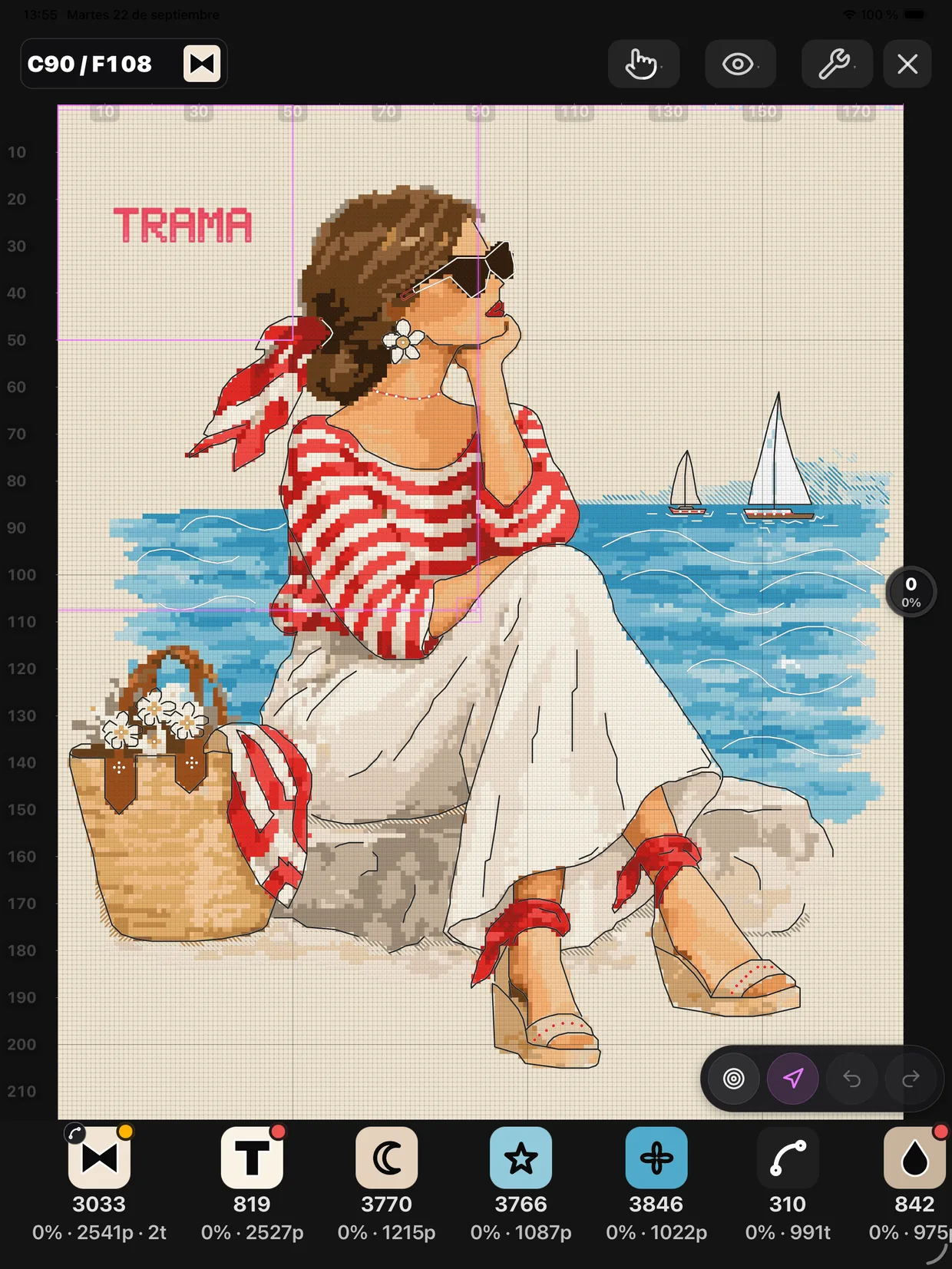
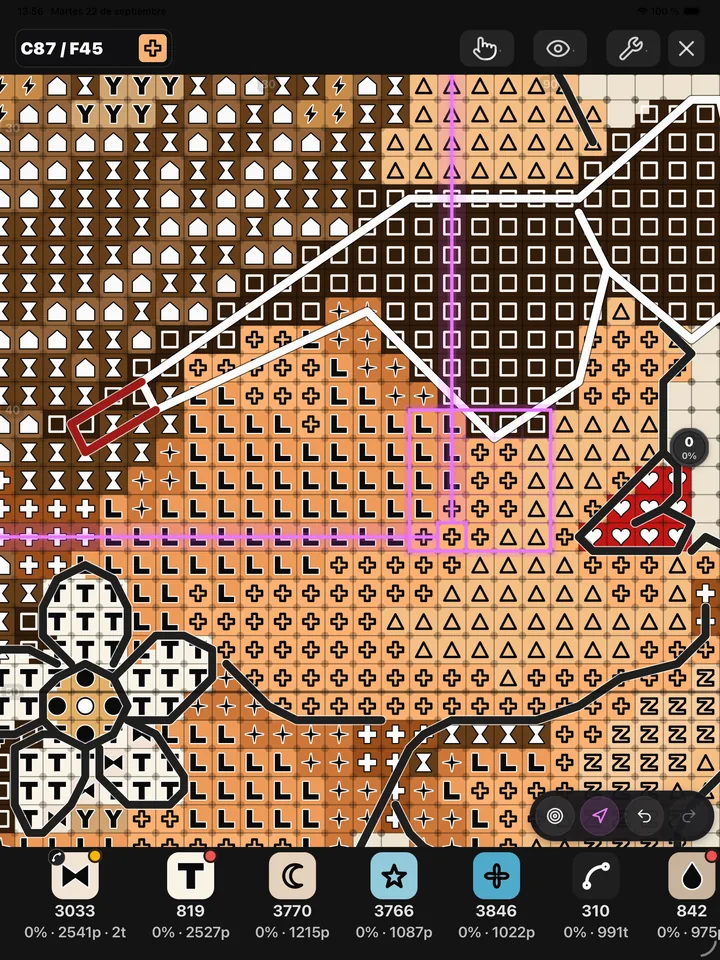
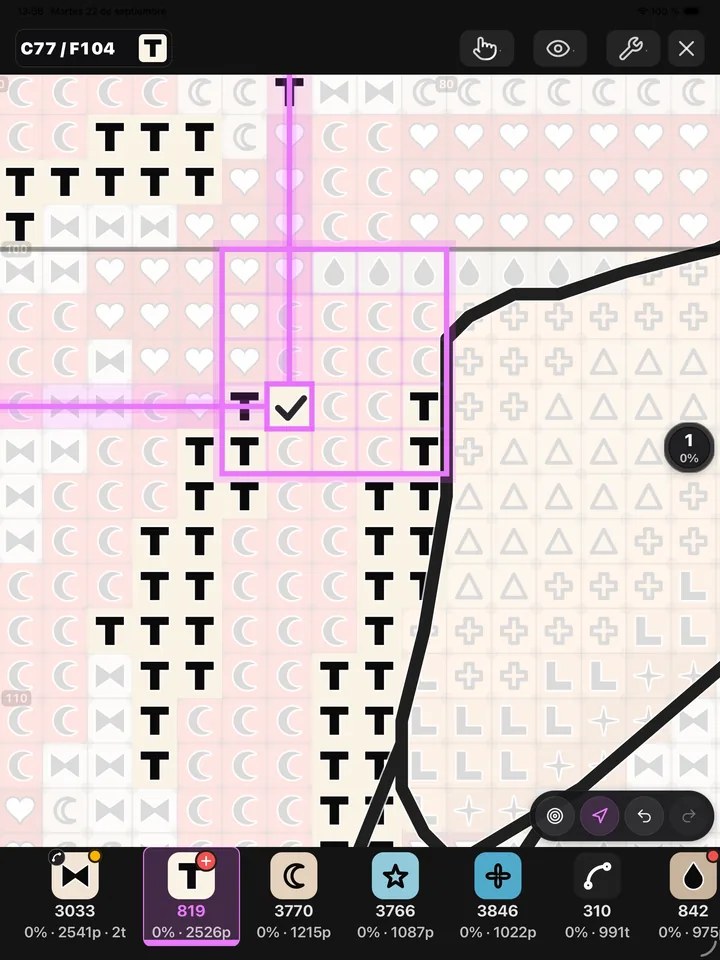
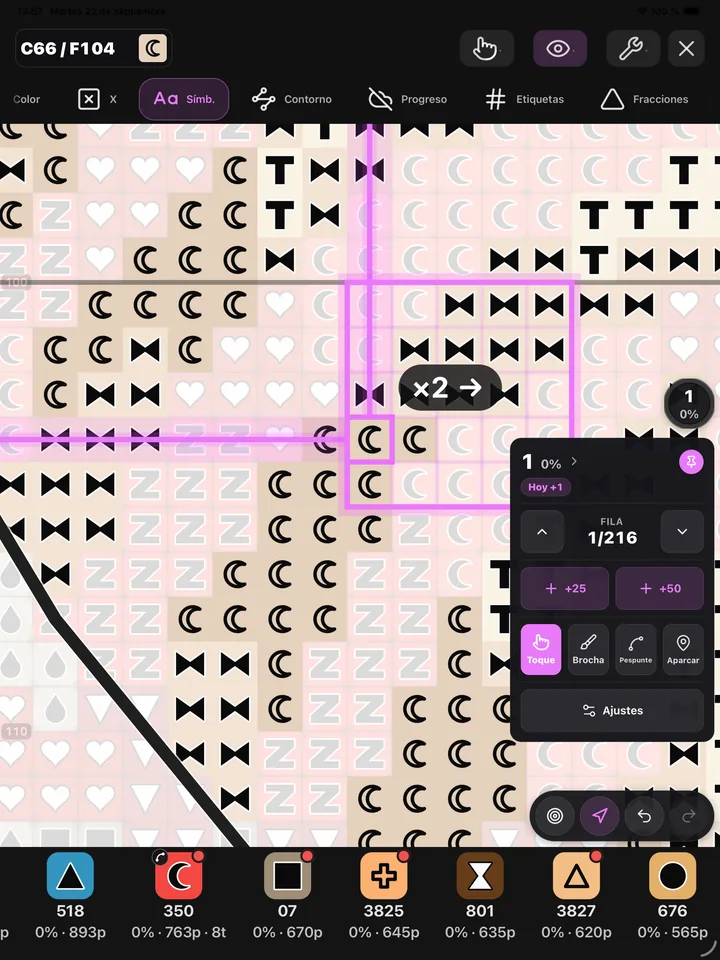
Every pattern on this page was made with TRAMA, start to finish, by someone who is not a designer.
-
Coordinate compass
Absolute column and row for the cell at the centre of the screen, always visible as you move the map.
-
Mark by dragging
Brush mode locks the canvas so you mark in one continuous stroke. Each stroke is a single undoable action.
-
Thread parking
Park needles by cell corner, with a live count, a list and a jump straight to each one.
-
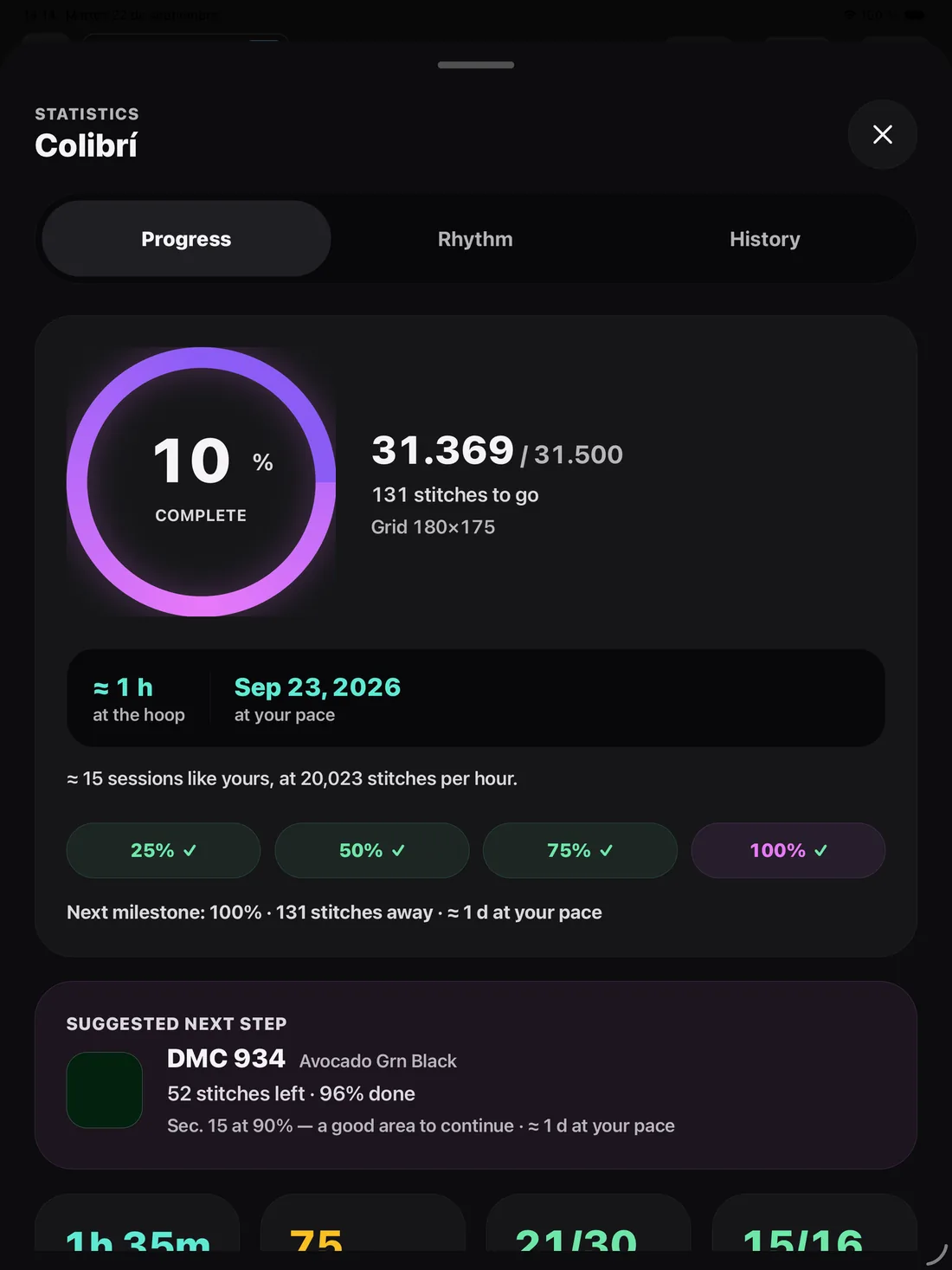
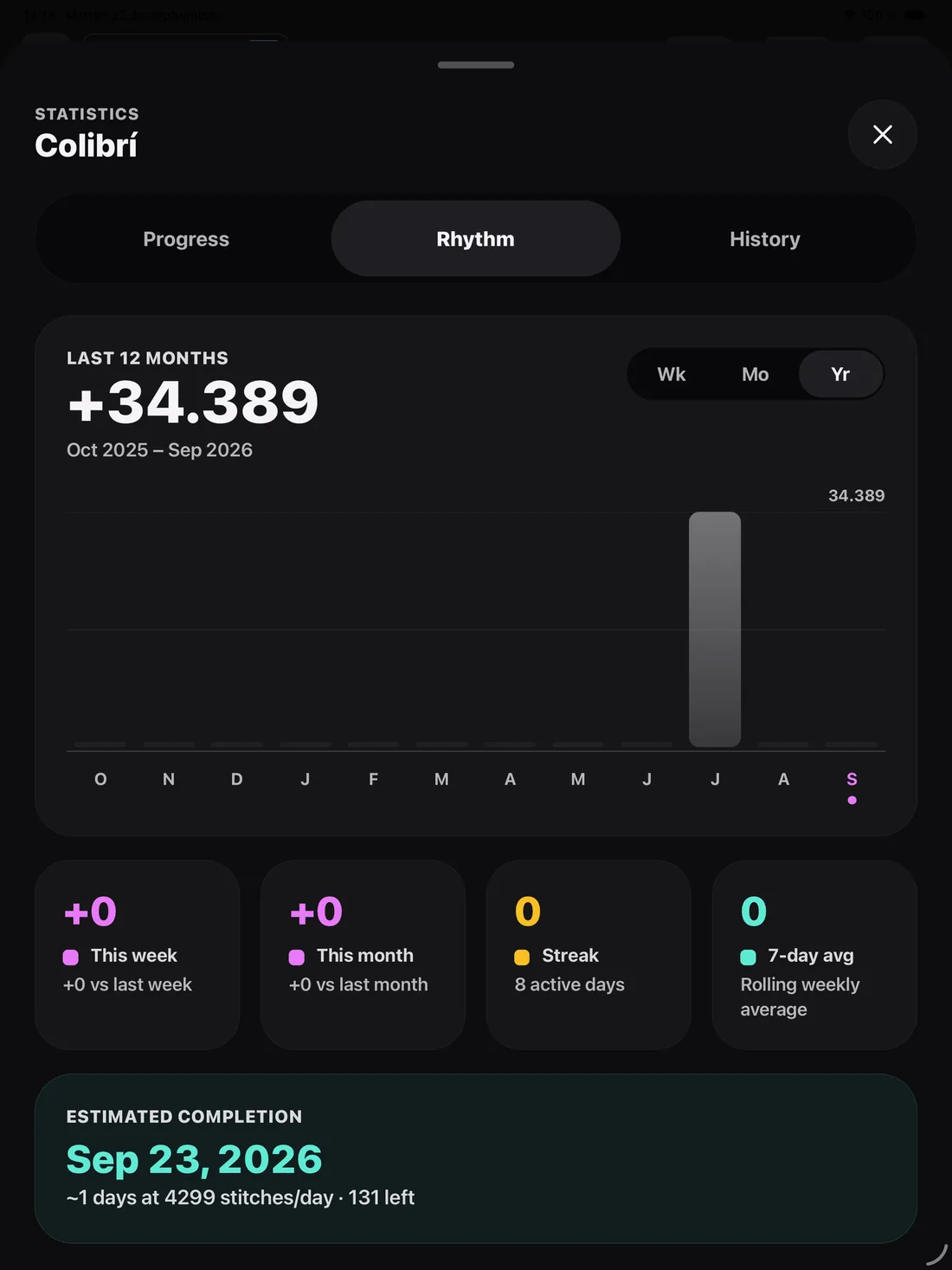
Stats panel
Pattern progress, remaining colours, section map, today's pulse, streak, hourly pace and session history.
-
Pro legend
Every DMC with its remaining stitches. Tap to highlight it on the canvas, sort, hide finished, and jump to the next cell in that colour.
-
Section or whole pattern
SEC anchors the counts to the active section; CROSS highlights one thread across the entire pattern even as you move around.
-
Ruler and quadrant
An L-shaped ruler and a tinted 5×5 block follow the active cell so you never lose the row.
-
Pattern overview
The whole pattern with the same tools: mark, park, stats, undo, and tap to focus a section.
-
Section notes
«I changed thread here». Up to 500 characters per section, saved automatically and synced with your progress.
-
Go to… and bookmarks
Jump to the pattern centre, to an exact coordinate, or to any bookmark you saved.
-
Emerge and fade
Choose how finished stitches read: lighten what's pending towards the fabric tone, or desaturate what's already stitched.
-
Hands free
With the phone on a stand, volume up adds a stitch and volume down undoes it. The screen stays awake.
-
Finishing phase
Once the crosses are done, a checklist groups backstitch and knots by colour to close the project.
-
Undo by gesture
Two fingers undo, three fingers redo, in any view, with on-screen confirmation.
Chart Editor
A full pattern editor, not a touch-up tool
Edit a pattern you already have, or start one from scratch on an empty canvas. It's a core piece of TRAMA, with the kind of tooling you'd expect from a desktop program.
- Drawing and selection
- Brush, eraser, eyedropper, fill with adjustable tolerance, lines, rectangles, ellipses, lasso and magic wand. Select by similar colour or the whole pattern, combine selections, and move regions with mirror, rotation and scaling.
- Stitch layers
- Backstitch with chained polylines snapping to 0/45/90°, French knots, fractionals by quadrant, beads, Smyrna and long stitch. Auto-Stitch proposes backstitch outlines using the same engine as the creation assistant.
- Colour
- Blend Lab to combine two threads with a real preview, DMC catalogue swapping, palette trimming, merging of similar shades and region gradients.
- Composition
- Text, motifs, frames, frontier merging, outline morphing, tracing paper, centre guides, symmetry, and canvas resizing with a crop that never cuts a backstitch.
- Check before you export
- The black-and-white chart view turns symbols on over a printed grid, so you can verify they're distinguishable before generating the PDF.
- Tablet mode
- In landscape the tools move to a side rail and a palette panel with live counts appears. With pencil support, a precision cursor and keyboard shortcuts.
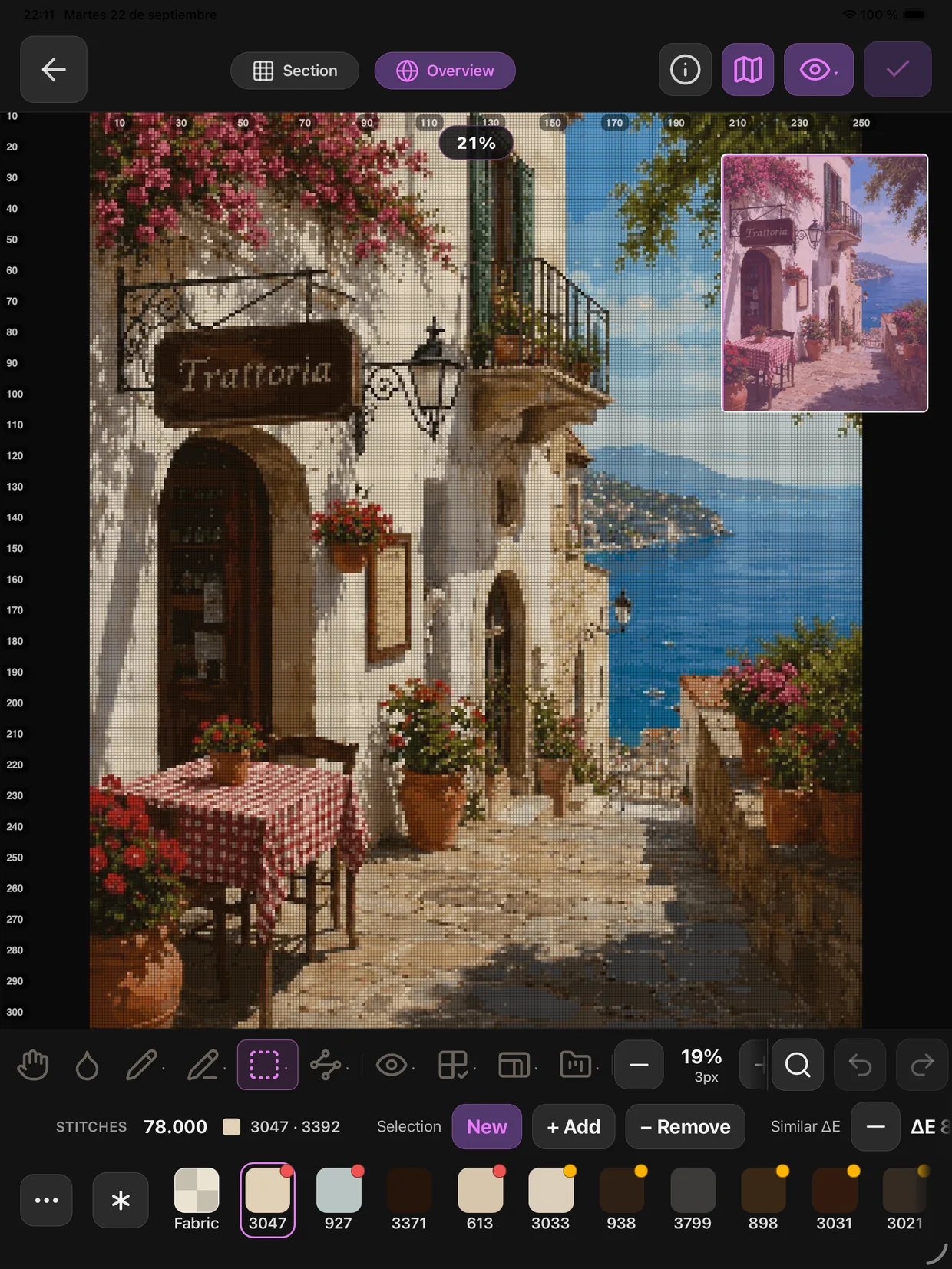
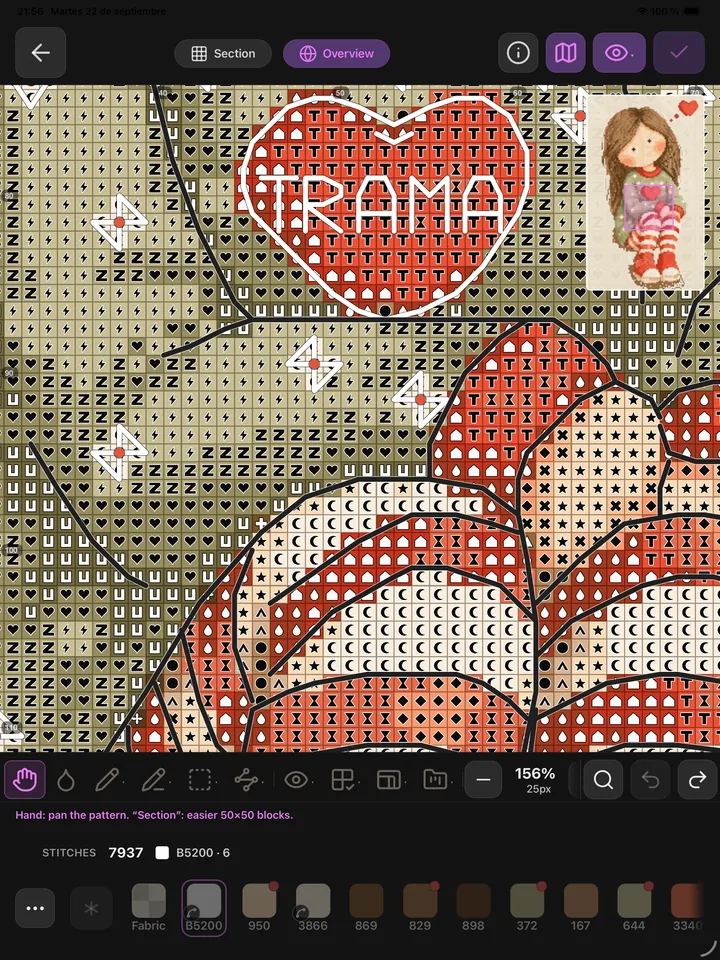
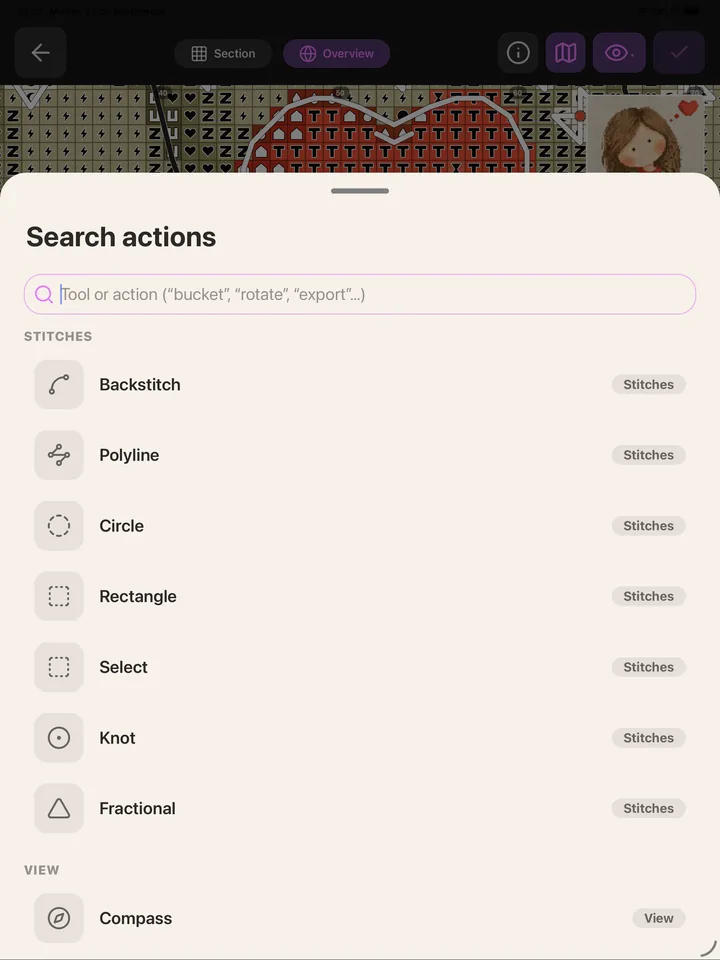
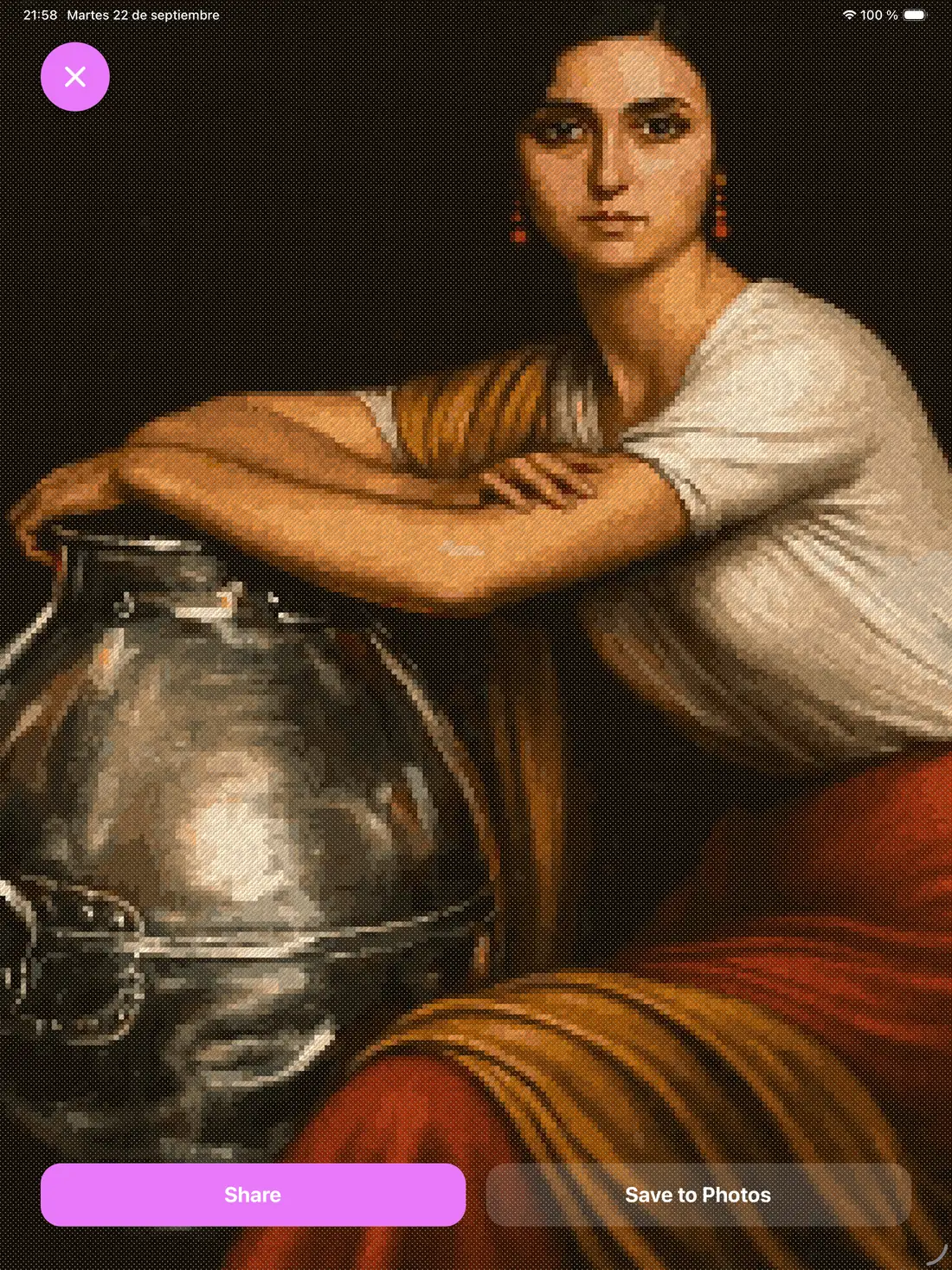
Every pattern on this page was made with TRAMA, start to finish, by someone who is not a designer.
Importer
The patterns you already bought, inside TRAMA
Almost every pattern is sold as a PDF, and TRAMA opens them: it reads the symbols, the floss key and the grid, and hands the chart back to you built. It also opens the original file, if your designer gave you one, and even a photo or an image of the chart. Once inside, that pattern is stitched with Follow Along and edited in the Chart Editor like any other.
-
The shop PDF
The one you bought on Etsy or on your designer's site: one page or twenty, in colour or in black and white. TRAMA reads all of it and rebuilds the chart with the real DMC colours, not with approximations.
-
The original file, if you have it
Some designers hand you the file from the program they used. TRAMA opens six: .trama, .oxs, .fcjson, .pat, .xsd and .embproj. Nothing to guess there: stitches, threads, halves and quarters, backstitch and knots all come in exactly as they were.
-
An image or a photo
Is the chart a JPG you found somewhere, or a photo you took of a magazine? That goes in too. Since there is no text to read, you mark the corners of the chart yourself and TRAMA does the rest.
And we made a file of our own so nothing gets lost
The format patterns are swapped in today is from 2011 and cannot hold half of what a pattern has: if yours carries two threads in the same needle, backstitch in different weights, smyrna or the fabric you chose, it all drops on the way out. So we made the .trama file, which keeps the whole pattern — including how far you had stitched and who designed it. It is open and published: any program can read it without asking us.
And when it doesn't go in, there's a person behind it
No program reads a hundred per cent of PDFs properly: every shop exports its own way. That's why TRAMA has a reporting system built in. We don't ask for the pattern — it's yours and your designer's, and its licence is for personal use — only for a technical report on how the file is built. Every report is read by a person on the team and answered to your account email. We're going to keep improving it, always.
Export
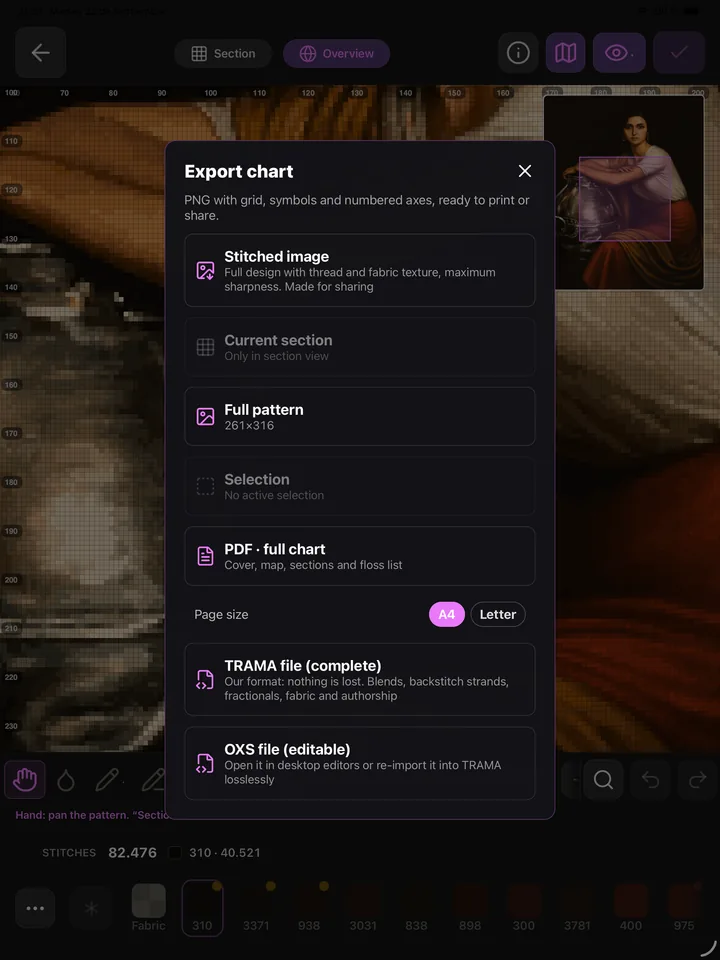
Documents ready to print and stitch
The Pro Pattern PDF is built the way professional programs build theirs, so you can print it and work on paper whenever you feel like it.
-
Cover
Name, size in stitches, recommended Aida fabric, strands and a materials summary.
-
Overview map
The whole pattern in miniature with grid and ruler, and the page number where each area is enlarged.
-
Section pages
The enlarged chart with a symbol and colour per stitch, absolute coordinates in the header, and a legend for that page's colours.
-
Overlap to align
Neighbouring pages repeat two columns and two rows, so the printed sheets line up.
-
Rulers and symbols
Numbering every 5 or 10 stitches aligned with the heavy grid lines, and a unique symbol per colour to tell similar threads apart.
-
Thread list
Every DMC in the pattern with its code, plus a palette PDF, chart PNG and progress snapshot.
Threads and materials
Every material under control
Stop buying the same thread twice.
- DMC 3713
- DMC 760
- DMC 3712
- DMC 722
- DMC 3820
- DMC 3607
- DMC 154
-
Thread scanner
Point the camera at a real skein and TRAMA tells you its DMC code.
-
Inventory and stock
Your skeins, how many are left and where you keep them, synced across devices.
-
Wishlist and shopping
What you're missing for the next project, ready to take to the shop.
-
Material calculator
Fabric, strands and price per skein: how many you actually need and what it will cost, before you buy.
Your story
The journal you'll be glad you kept
TRAMA doesn't only count stitches: it keeps what it was like to make them. A calendar with your streak, entries by day and by project, and everything that surrounded that session.
-
Life context
What you were watching, what you were listening to, what you were drinking and how you felt. You'll thank yourself years from now.
-
Time-lapse
Your pattern growing stitch by stitch, as a GIF or video, square or vertical 9:16, with milestones at 25, 50, 75 and 100%.
-
Heat map
Which areas you stitched first and which came later, across the whole pattern.
-
Progress card
An image of the pattern as it stands, ready to attach to the journal or share.
-
Reminders
You schedule them, with their day, time and message. TRAMA never pings you on its own.
-
Story book
If you publish the project, you choose which journal entries are visible and which stay only yours.
Community
Stitching, in company
Publish your project and let other people follow how it grows — or take inspiration from theirs.
-
Publish projects
With a title, description and tags for difficulty, subject, occasion, size and style so people can find you.
-
Feed and saves
Explore what the community publishes, save what inspires you, and come back to it when you start something new.
-
Likes and comments
React to and comment on other people's progress, with content reports for when something isn't right.
-
Editable copies
You decide whether other people can make their own editable copy of your pattern, or only view it.
-
Stitch-Alongs
Stitch the same piece as a group, with a weekly calendar, members, shared progress and a message wall.
-
Top stitchers
A simple ranking by stitches marked in Follow Along, with a podium and your global position.
Sync
Almost everything lives in the cloud
Patterns, progress, inventory, journal, bookmarks, parking and notes are backed up to our backend while you're signed in. Lose your phone or switch tablets and your work is still there when you sign back in. A few things stay on the device on purpose, like the Follow Along activity log.
FAQ
What people usually ask us
Which devices does it run on?
Phone and tablet, on both iOS and Android. On a large screen the Chart Editor and Follow Along use the full canvas: on a landscape tablet the tools move to a side rail and a palette panel with live counts appears.
What is a DMC code, and why does it matter?
It's the standard numbering system from the French brand DMC: it works as a unique address for every thread shade, so 310 is the same black in Madrid as it is in Tokyo. TRAMA always works against the official catalogue and never invents a thread you can't buy.
Which stitch types are supported?
Full cross, backstitch with configurable strands and stroke, fractional stitches (half, quarter, three-quarter and petit), French knots, beads, Smyrna, long stitch and two-thread blends. All on the same grid, so it looks the same in the editor, in Follow Along and in the PDF.
Can I import the PDFs I bought on Etsy?
Yes, if the PDF carries its symbols as text along with a floss key, which is the norm for shop patterns: one page or several, in colour or in black and white. If the PDF is a scan or is made of photographs, it won't go in on its own, but you can mark the corners of the chart yourself. And if your designer gave you the original file — .oxs, .fcjson, .pat, .xsd, .embproj or .trama — that one goes in with nothing to guess. If something fails, the app prepares a technical report on the file — we never ask for the pattern itself — and someone on the team reviews it.
Do I need an internet connection?
Not to stitch. The pattern, the counter and your inventory work on the device. The cloud is there so your progress, projects and threads follow you between devices, and for the social side.
Can I stitch the same project on my phone and my tablet?
Yes. While you're signed in, your patterns, progress, inventory and journal sync on their own: start on the tablet on the sofa and carry on with the phone, without exporting or importing anything by hand.
Are my projects public?
No. Everything is private until you choose to publish it, and when you publish you decide which journal entries are visible and whether other people can make an editable copy of your pattern.
Which languages is it available in?
Seventeen: Spanish, English, Catalan, Portuguese, Italian, French, German, Dutch, Swedish, Polish, Hungarian, Turkish, Russian, Ukrainian, Chinese, Japanese and Korean.
Your next project starts here
Build the pattern, stitch it with Follow Along, and keep the story of how you made it.

Coming soon to the App Store and Google Play